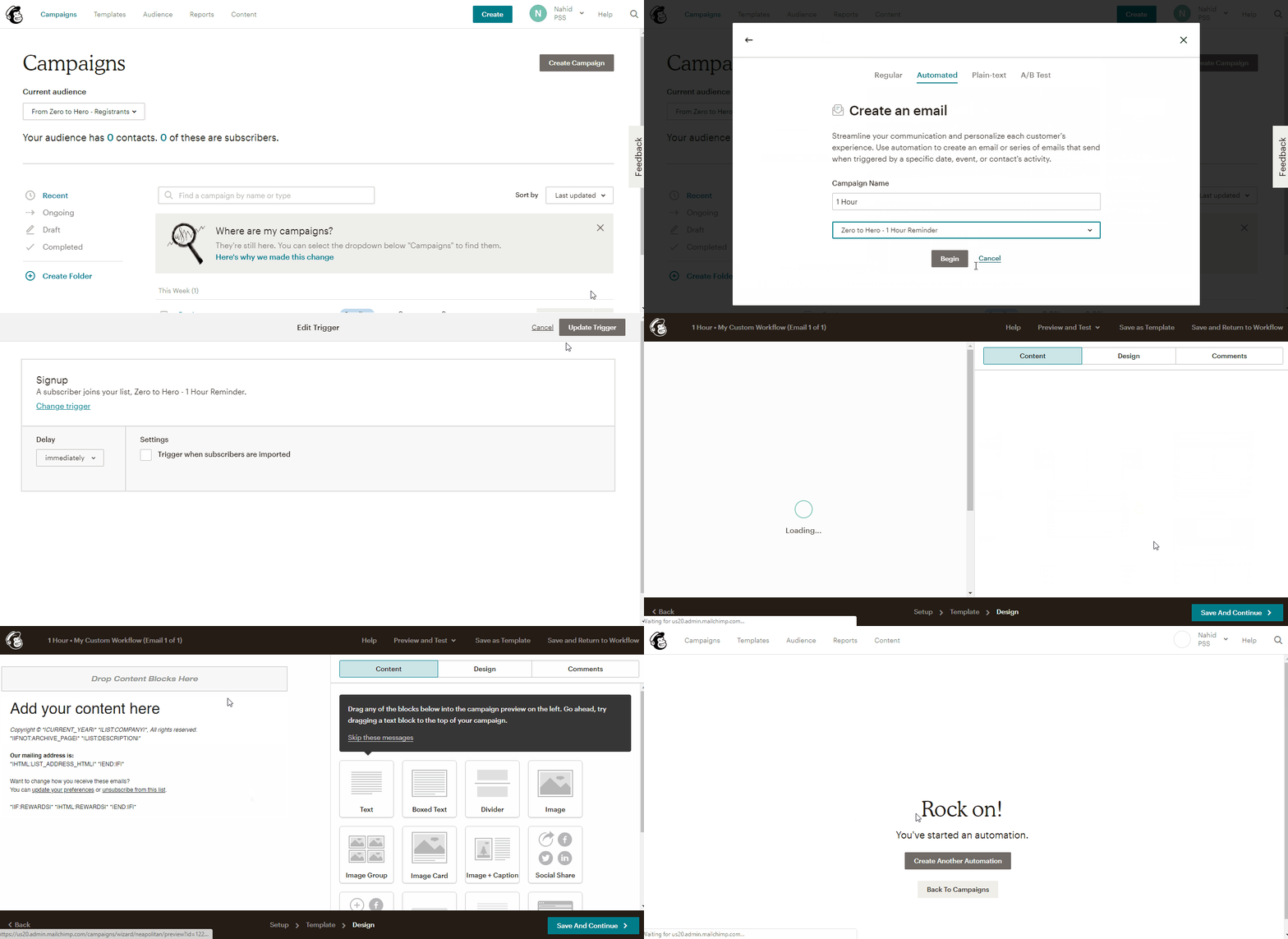
How do I send a reminder before the webinar from mailchimp?
Get a free 30-day trial of StealthSeminar here.
In this article, we are assuming you have already followed this and created the lists that would trigger the reminders in your Mailchimp "Campaign".
With our advanced Mailchimp plugin, you can send emails as soon as someone registers for the webinar, and reminders 48, 24, 6, 3, 1 hour, 15 and 5 minutes before the webinar.
You can also send an email when replay is available and another, 4 hours before replay expires.
To find all these options, go to your event editor > "Plugins" > "Mailchimp Plugin" > View
You can follow this to add anyone who registers for your webinar to your mailchimp "List"
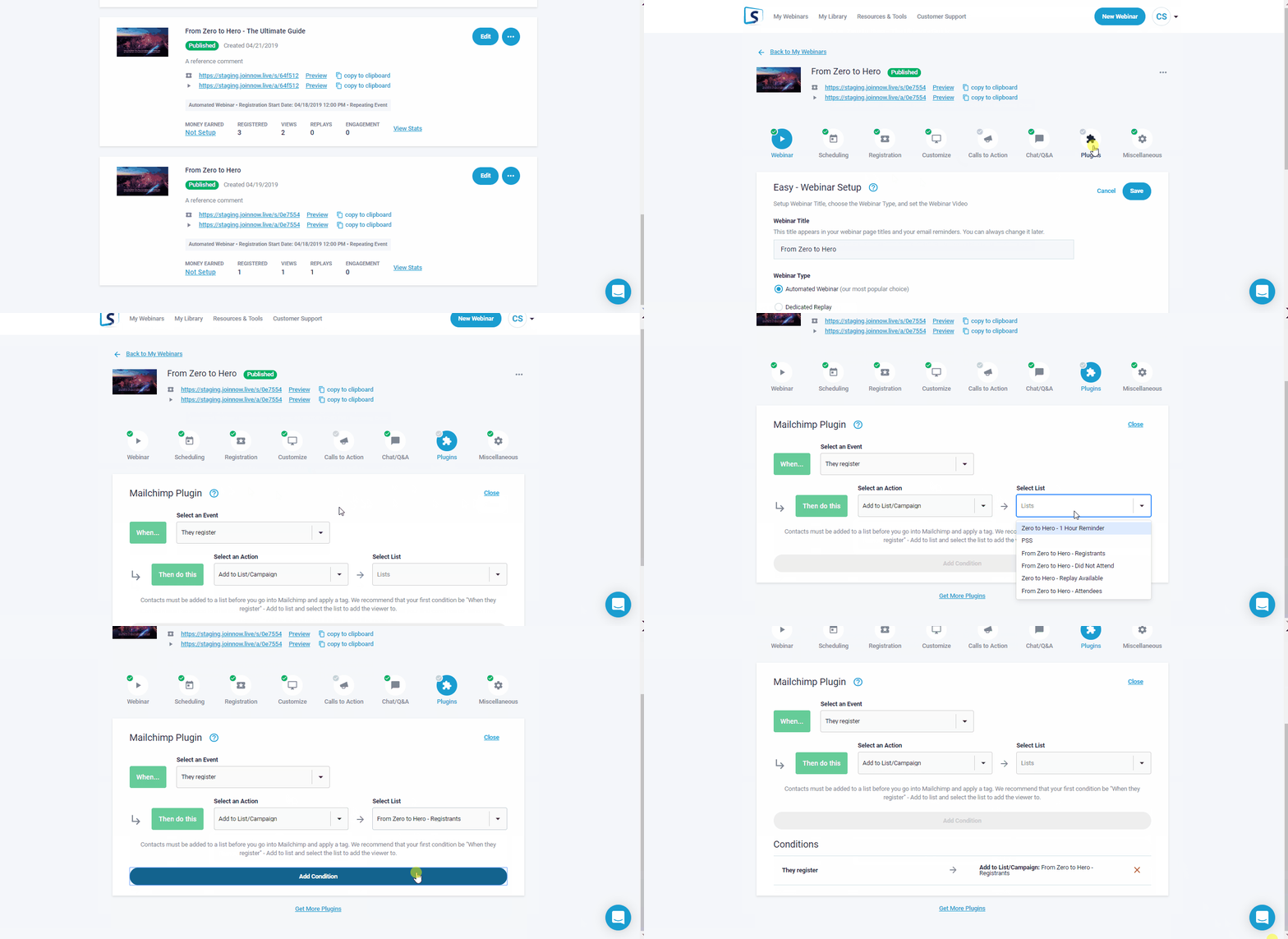
Then add people to your Mailchimp "Campaign" using that list as a trigger.
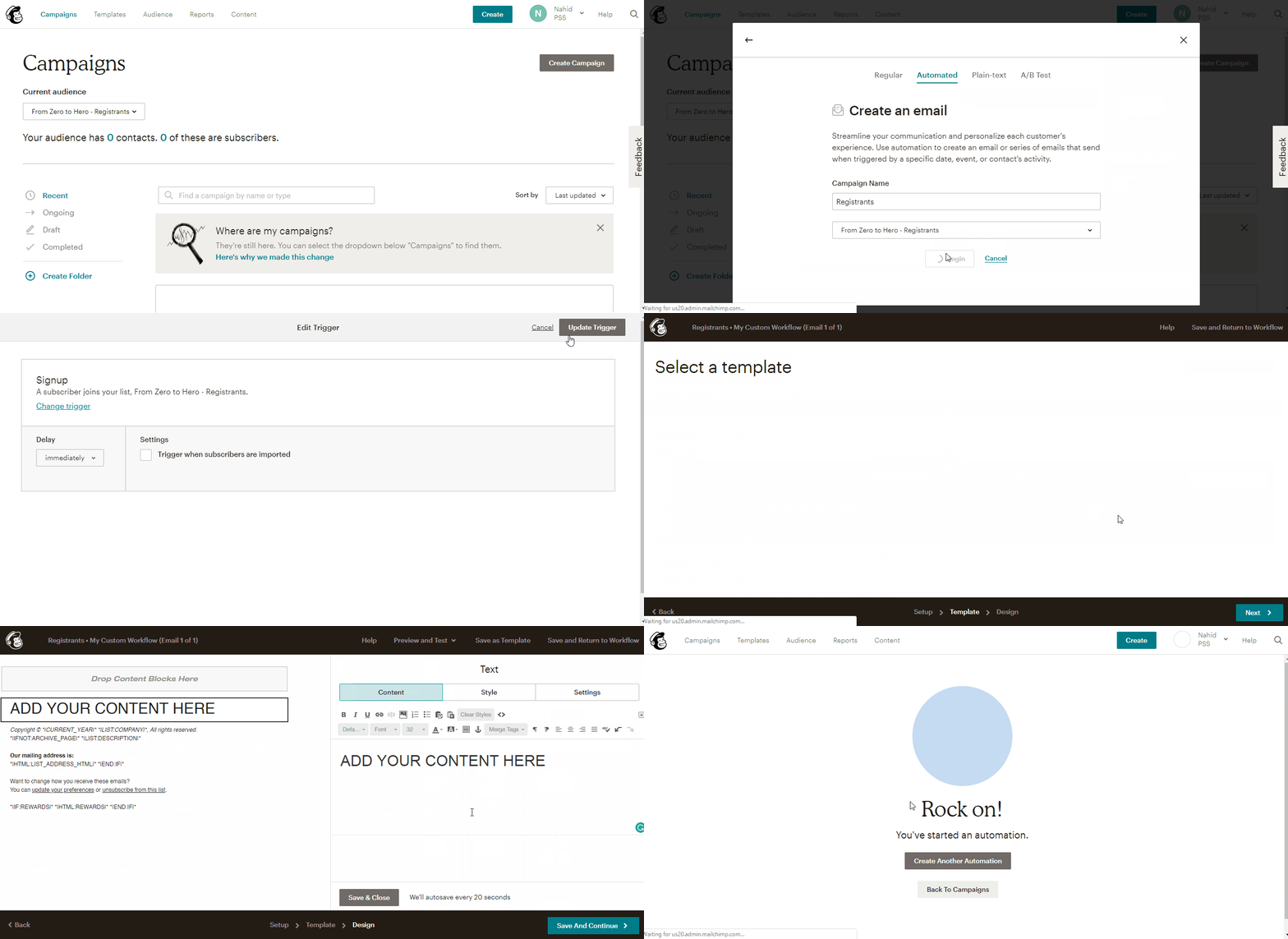
If you want to send a reminder before the webinar, the process is the same.
Here is an example for the 1 hour reminder.
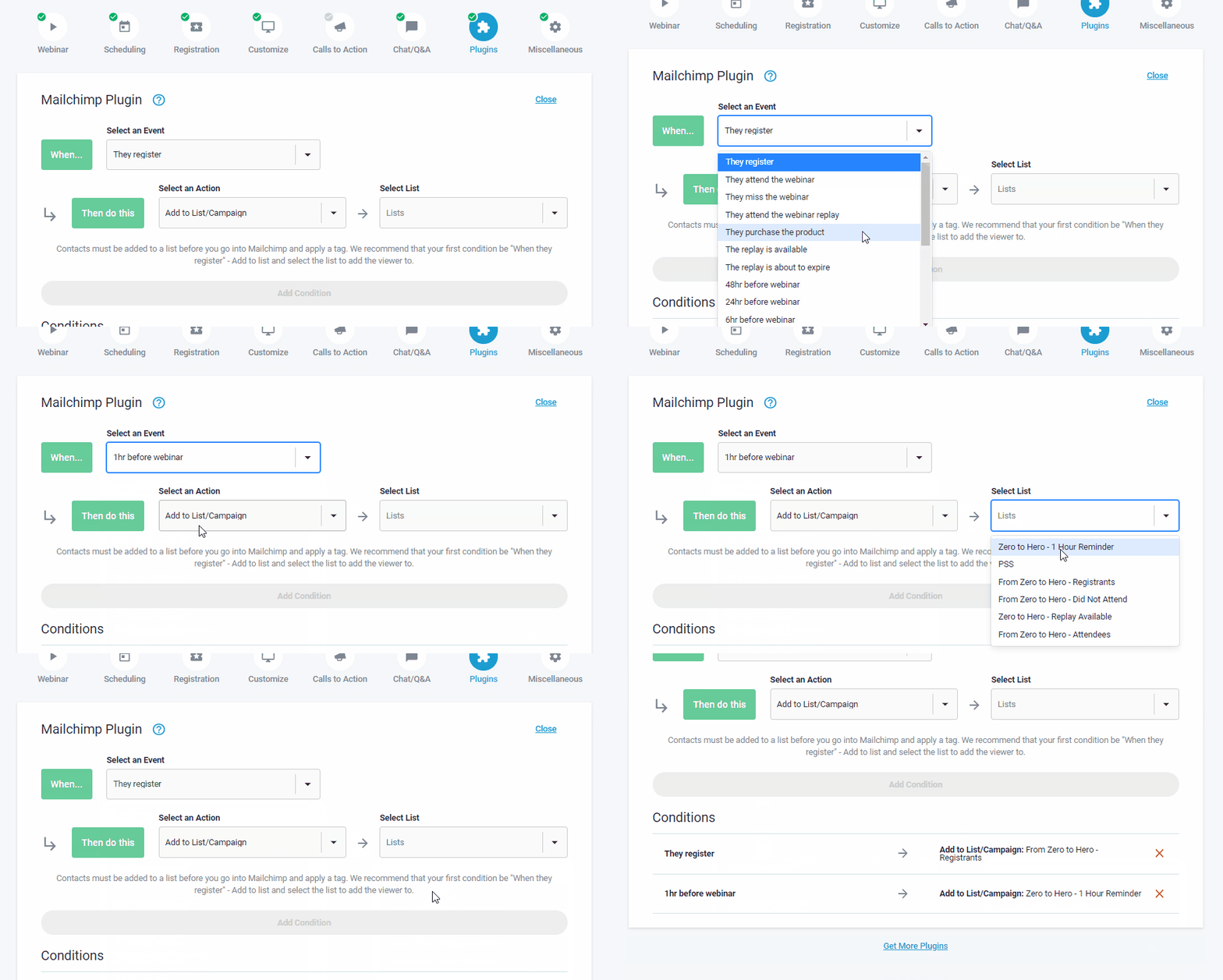
And in Mailchimp: