
Connection & Links for standard ActiveCampaign
The following article is intended to get your ActiveCampaign connected & setup in a standard way with Stealthseminar, the first step is to get your API Key and API Url
Shown how to at Active Campaign link > HERE
Once that info. is available to access, go to marketing plugins here at Stealthseminar by clicking on your gravatar, or following the link > HERE
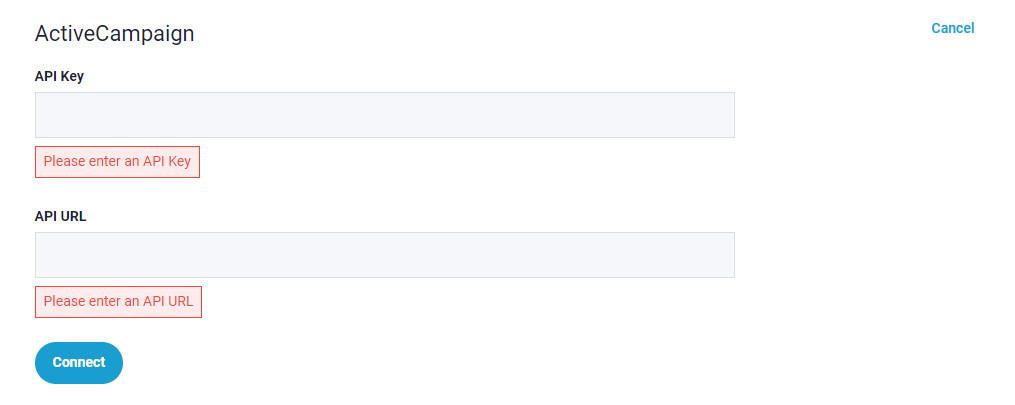
Once applying your details there the Connection should create & Sync. available tags for you to AC in a standard way AUTOMATICALLY verify that by checking Sync. as shown below,

It can take some time to Sync. to your AC, check when creating your replies there for available tags from Stealthmseminar when Personalizing links in your replies, or logout & back in to AC
Once Sync has completed, you will find tags available at your Active Campaign to create standard reply links at any individual campaign that you've Synced with it here.
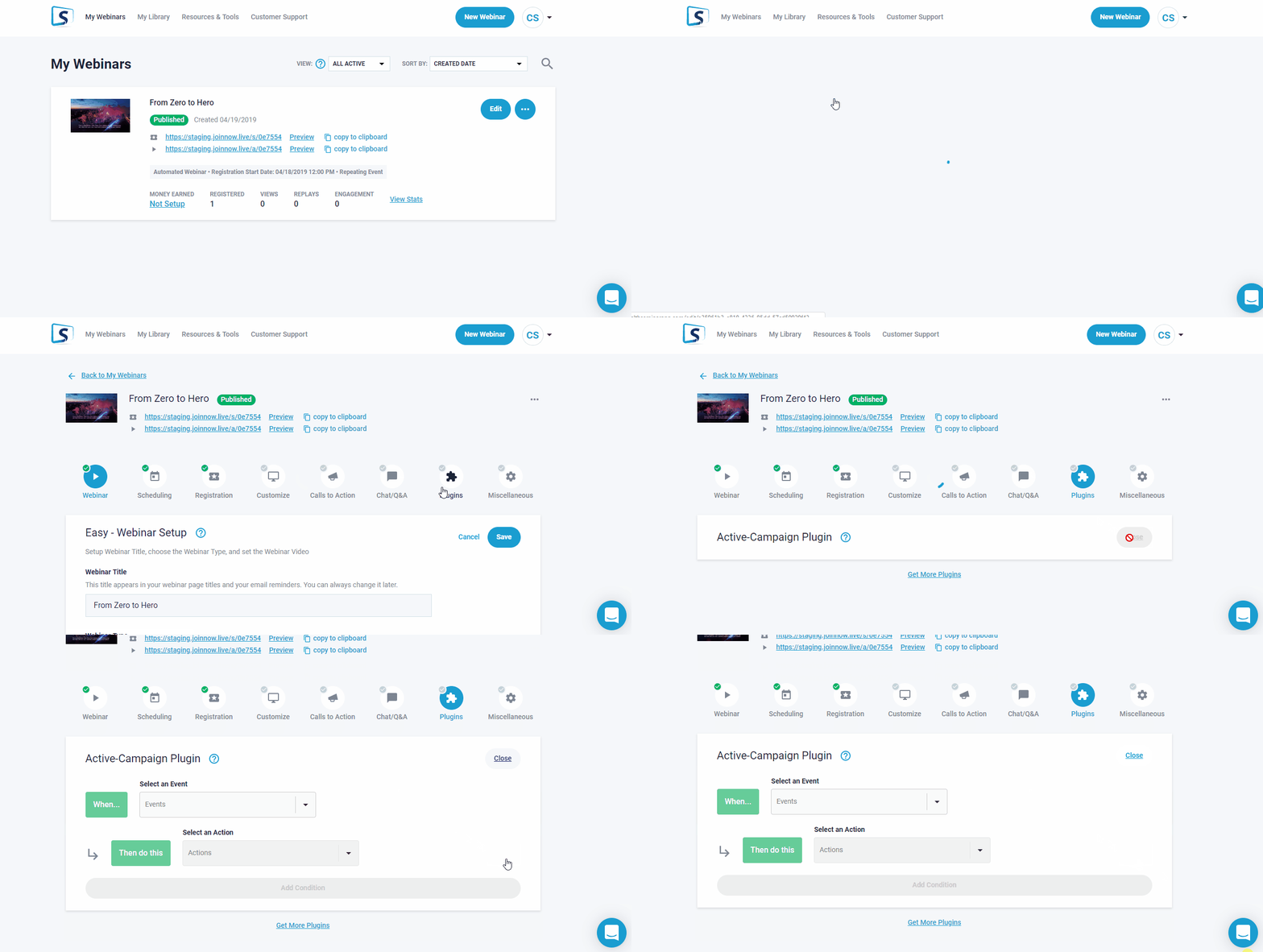
Go to Plugins while editing the event (as shown below)
to select > when they register < and Add that as a Condition.
Links for Standard ActiveCampaign replies
- Please Note: "Link Tracking" must be turned off in ActiveCampaign
A Standard watchpage link below, highlight copy for use in AC replies directly, or create there.
These are used directly after registration in a registration confirmation reply.
https://joinnow.live/a/%SS_EVENT_ID%?id=%SS_AUTOLOGIN_ID%
A Bulit-in Replay link is available below for use in replies, these would typically be used 4 hours after the Main Webinar event completes.
https://joinnow.live/r/%SS_REPLAY_ID%?id=%SS_AUTOLOGIN_ID%
Bonus Tip: This is how you can show webinar date time in your email.
%SS_WEBINAR_DATETIME_FOR_VIEWER%
Once your replies have been created, Test by registering to confirm, as shown how to > HERE
If any item above is unclear please let us know, We're Happy to Help!