
How do I see when people dropped off from viewing my webinar?
"Dropoffs" in this case can be considered in two different ways, those who may have started browsing elsewhere at their device and are still attending (or listening) to your event to return, (Steathseminar will track those also) & including any number of attendees who have exited from attending the event all together.
To find dropoffs in either case, you can go to your stats. and scroll down to graph.
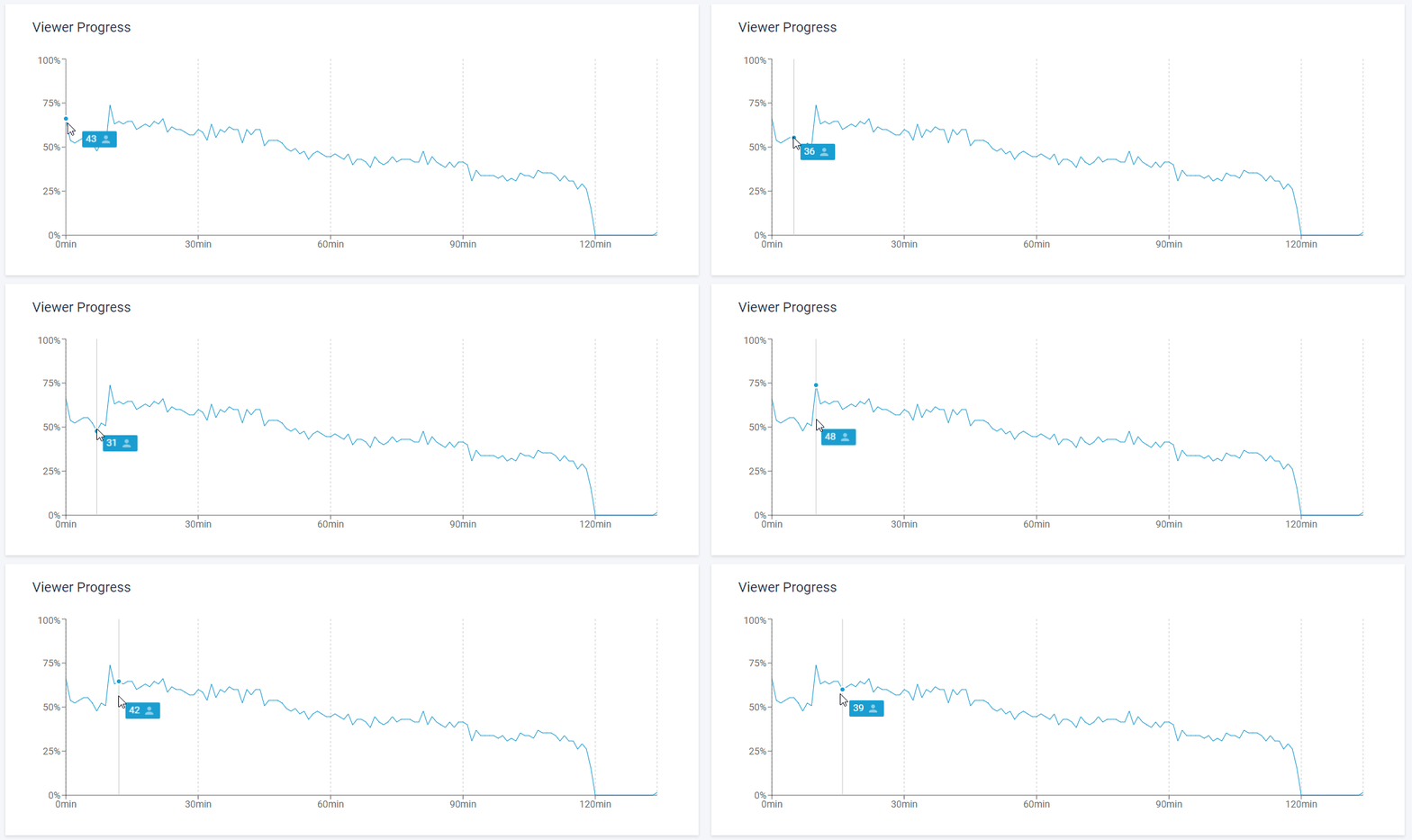
"Viewer Progress" shows you a graph of users that were logged in and actually viewing the webinar at each progress marker. (as shown below in minutes)
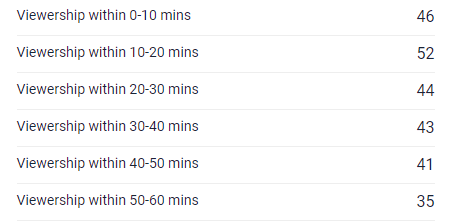
For total number of attendees currently attending and dropoffs at 10 minute increments , this is shown by scrolling down stats. page further to "Attendee Viewership" this of number of total attendees (who may not neccessarily viewing at that time)
For a complete breakdown on how Stealthseminar stats. operate, we recommend checking the following downlable link > HERE
Let us know if you have any other questions, we're happy to help!
Related Articles:
How to convert more webinar leads and sales with the power of the StealthSeminar statistics