
Can I add a "Watch Yesterday's Replay" option to my event?
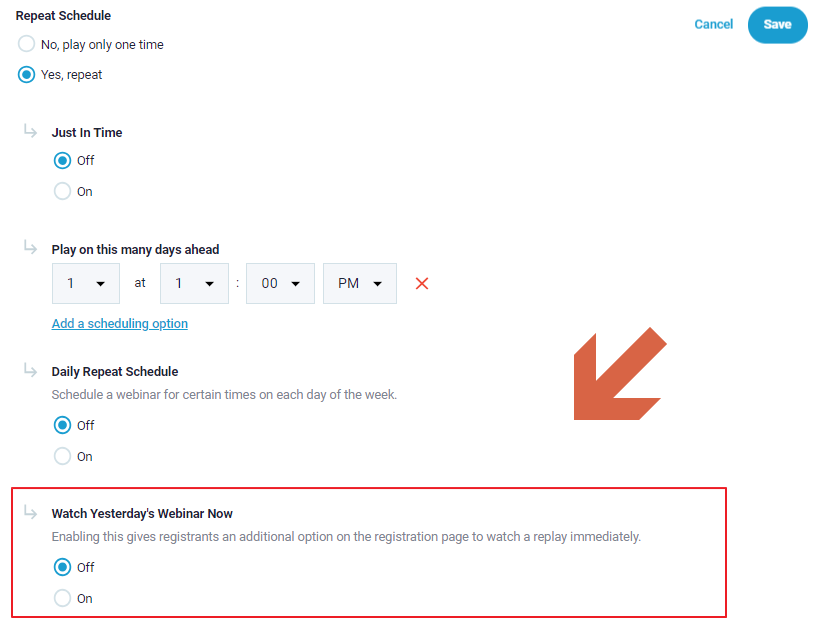
"Watch Yesterday's Webinar Now" is a available to setup at Pick a Time in scheduling.
It will provide clients at Bottom of Pick a Time schedule ( as shown below)
with option to watch a built-in replay immediately.

You can go to "Scheduling" > "Easy - Scheduling" > "Repeat Schedule" > Select "Yes, repeat".
Then turn on the "Watch Yesterday's Webinar Now".

Important Note: Any clients choosing to watch replay now will be counted as watching a Replay Only, replays do not contain any simulated audience interactions, so is something to keep in mind when setting up this option intitially.
Related Articles: