
How to Configure Audience Reporting: Simulated or Actual Attendees
For automated, live or hybrid webinars. Audience Reporting section is found in Webinar Advanced section at your event "Number of Attendees Online" is used to create a sense of scarcity.
Please note this does not impact your account subscription's number of attendance.
You have to upgrade your subscription, if you are anticipating more attendees than what your account allows, check > subscription plan pricing
To adjust the number of attendees that are Simulated at the automated webinar event, follow those instructions provided below.
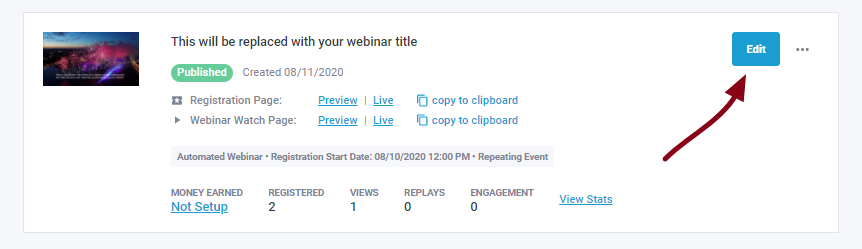
1. Go to edit any individual webinar event (as shown below)
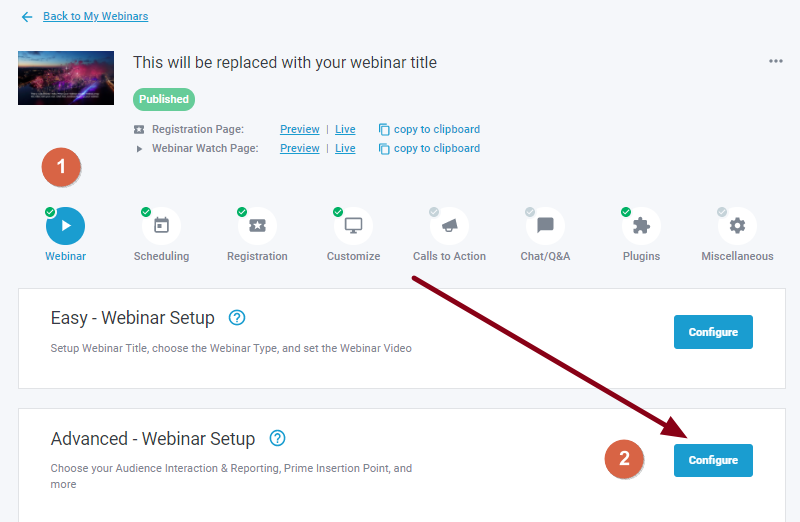
2. Go to Webinar > Advanced - Webinar Setup > Configure
3. Scroll down the setting page, to fFind Audience Reporting > Set it to any value you want or turn Off all together at None (make sure you also populate the names lIst/field so they exceed the number provided) this will enable randomization of the simulated names lis, then do not forget to Save.
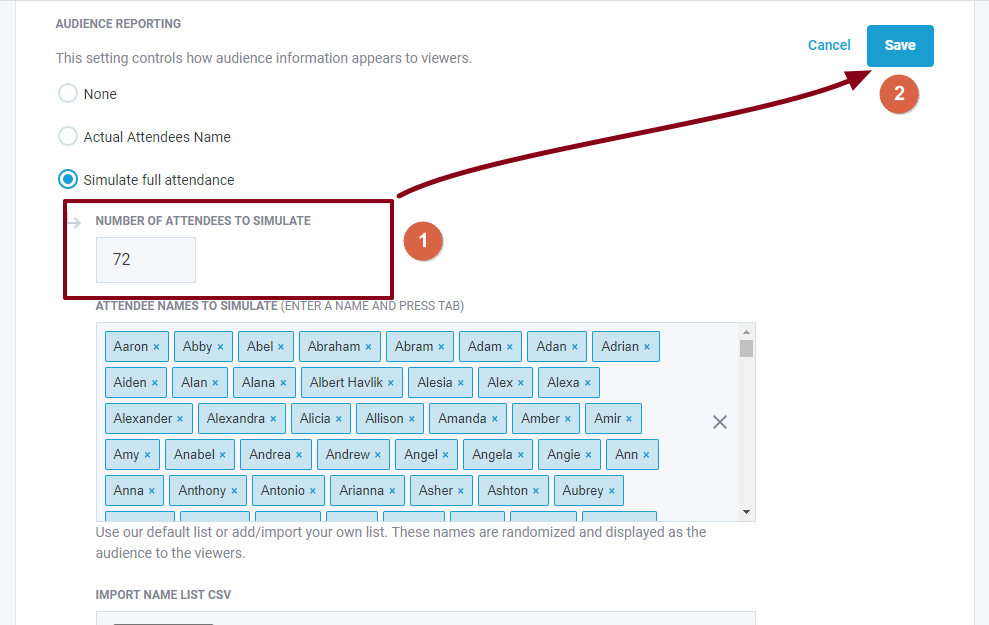
Displaying Actual Attendees is also available to choose from at the section, this will report only those attendees scheduled in & currently available at the event, no others.
Related Articles: