
How do I modify the layout of the embed widgets?
You will need working knowledge & ability to use CSS in order to customize the layout/look of the embed widgets. If you're not sure how to, let us know at the chatbox with your request and we would be happy to help!
A sample CSS file is available to download > HERE
In this file, you can customize how the embed widgets look, the colors, etc. The root classes of all embedded widgets have been provided, as well as classes to be able to customize the Countdown, and Date & Time widgets
For example: if you want to change the background color of the Countdown section
of a certain embed form, (in this case, Registration Styled Layout 1) you can target it by doing:
.registration-embed-styled-0 .countdown {
    background-color: #0feb9e;
}
Or, if you want to change the font color, size, etc. of the counter label for the days, hours, minutes, or seconds, in the Countdown section of the Countdown + Date & Time Styled Layout 2, you can target it like so:
.countdown-and-datetime-embed-styled-1 .countdown .countdown__days .countdown__label {
    font-size: 16px;
    color: #333333;
}
Once you have your CSS file ready to upload, go to Miscellaneous section while editing the specific webinar event, and find the Embedded Widgets section there by scrolling down to CSS file upload when configuring the section (as shown below)
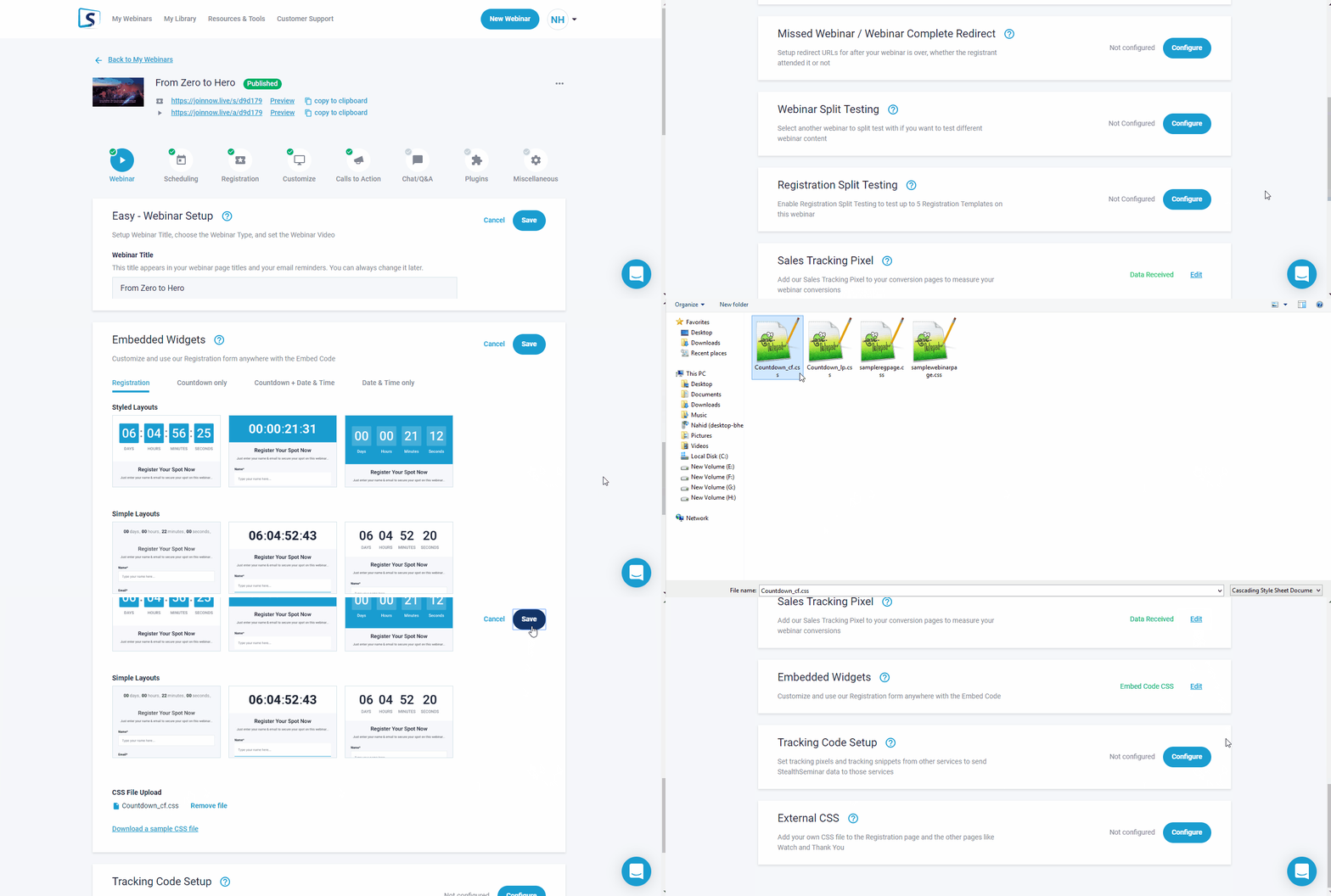
Note: if you're duplicating your webinar event, you may need to reupload/attach new any associated CSS file for it to show at pages again.
Its posssible for you to "inspect" at your 3rd party page download original by referencing source panel. Or let us know at chatbox to assist.
Related Articles: