
Can I embed the webinar playback page on my own website?
You can iframe code to host the webinar playback page on your site. In future, we may have other easier method with more features.
First, grab the webinar playback url from your event dashboard:
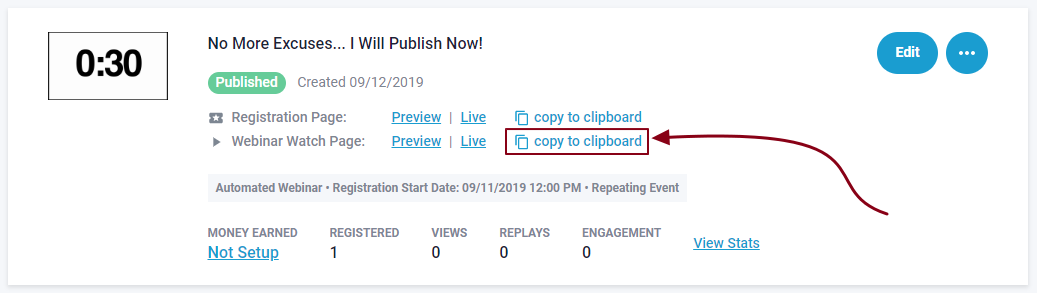
It will look something like below, but have your unique event ID in place of 123abc , be sure its the > a < page and not your registration > s < page.
https://joinnow.live/a/123abc
Now, take this code, and replace what you see after <iframe src=" with you watchapge url above. Any texteditor or notepad can be used to create code with.
<iframe src="https://joinnow.live/a/123abc" style="border:0px #ffffff none;" name="myiFrame" scrolling="no" frameborder="1" marginheight="0px" marginwidth="0px" height="1400px" width="100%" allowfullscreen></iframe>
This will embed the webinar page with video, chats and calls to action (if you are using any), but it will show you a login screen where you have to enter name and email to log into the webinar page.
A Dedicated Replay type event would be recommend for On Demand access at your website's pages, so clients can register directly to the webinar event.
Its possible with Automated type events scheduling, (depending on your website), but would required development at your pages (outside of our scope)