
How to downgrade your account
-
Go to your StealthSeminar Dashboard
-
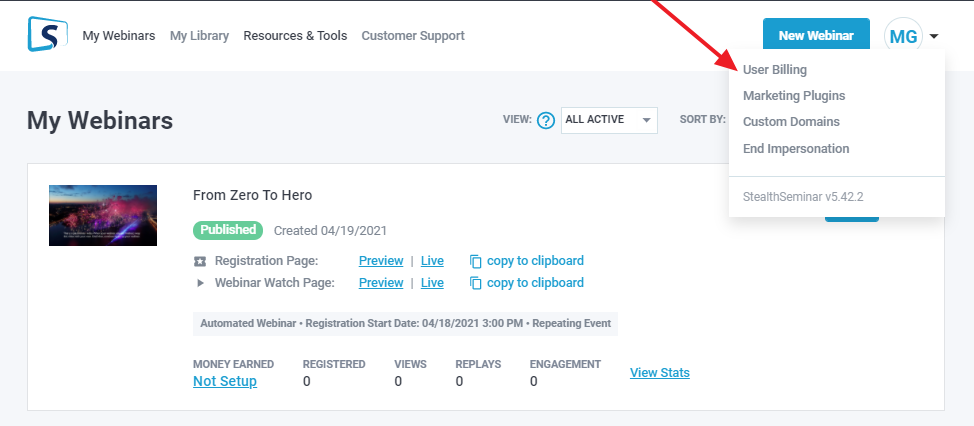
Click on the user menu, and select User Billing
-
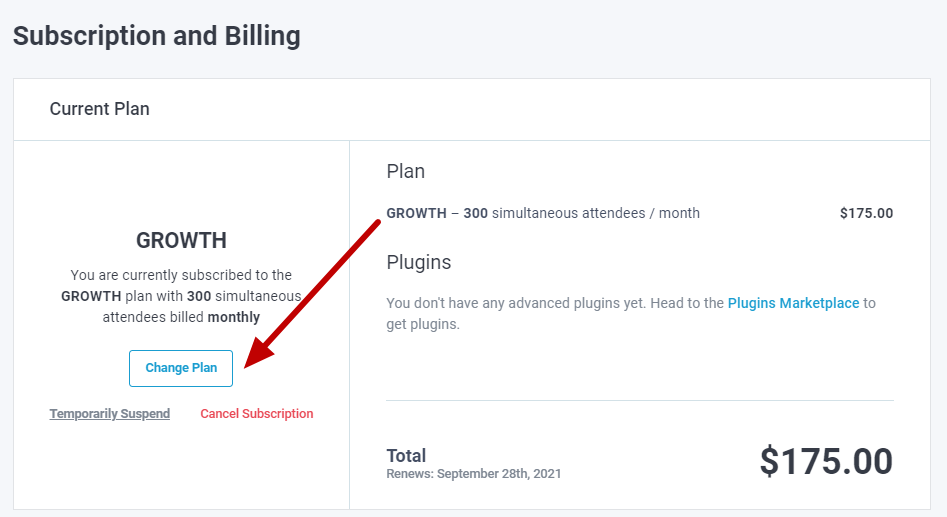
On the Subscription and Billing page click on Change Plan
-
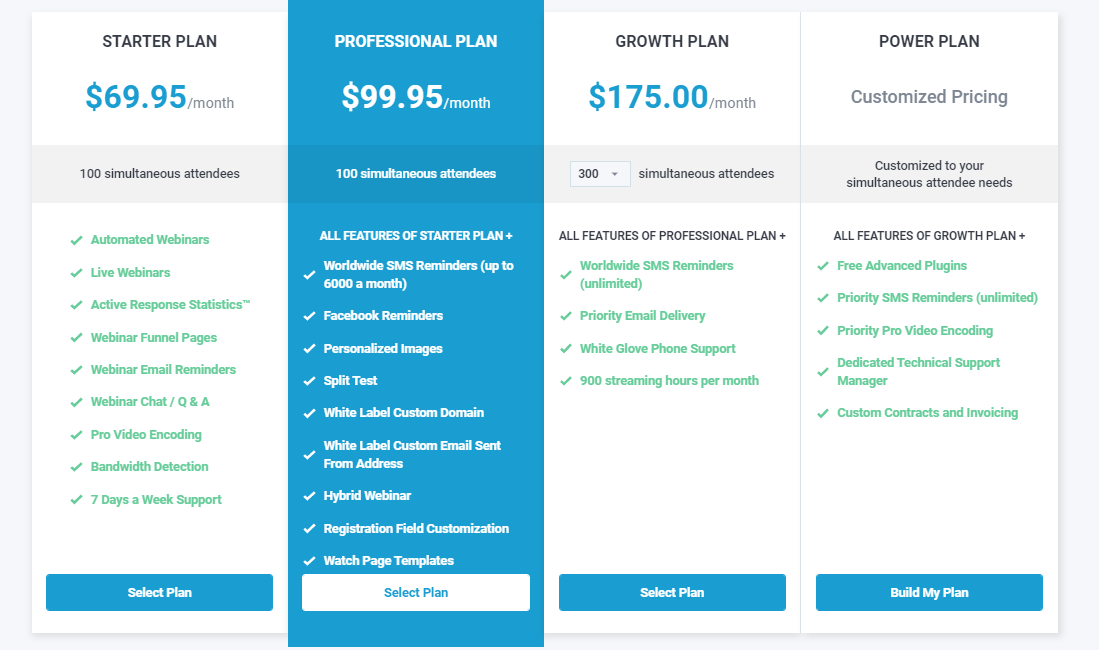
Select the plan you want to downgrade to
-
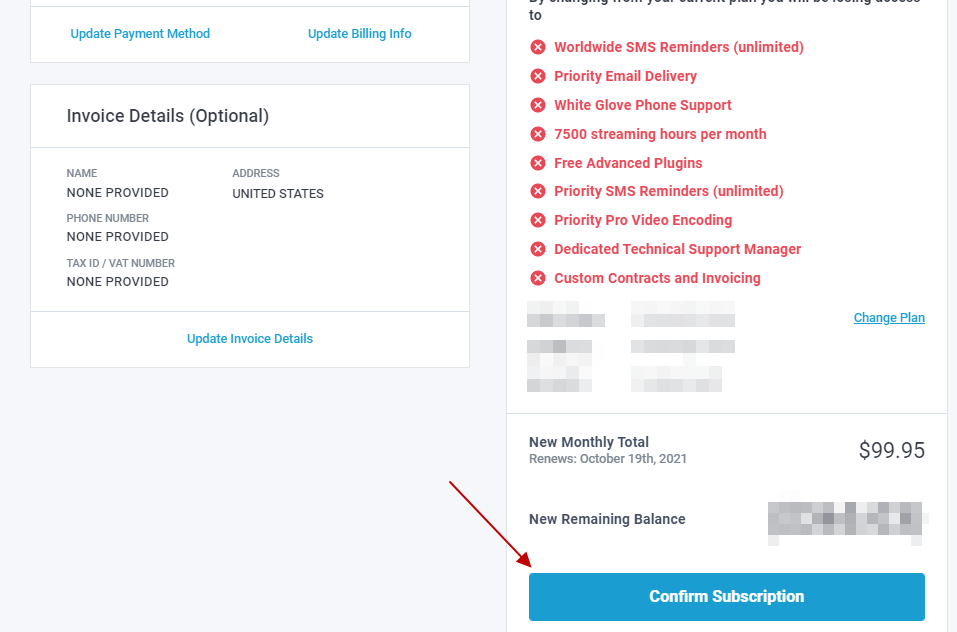
From the next page click on Confirm Subscription, and that's it!
Please note, usually, all upgrades are for a minimum of 30 days. If you try to downgrade before that period, you will see a message like this
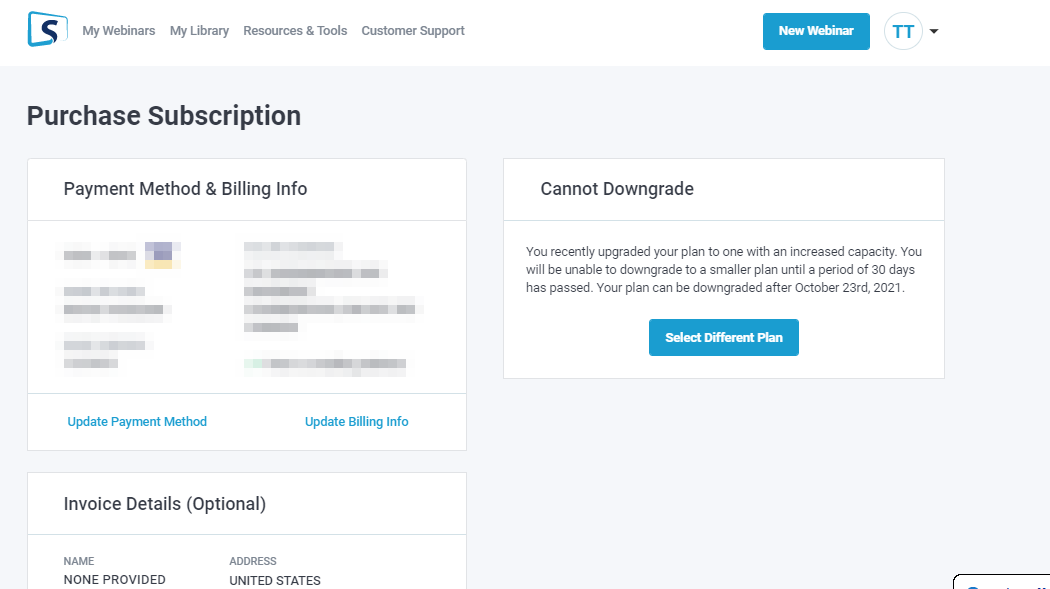
However, if you have upgraded for a month only and want to downgrade on the next month, our billing department can help you with it.